Signals from 5 sources
Videos, search queries, pins and hashtags add up to one trend instead of scattered charts.
Trend analytics for sellers, creators and marketers
Trend Radar spots rising topics, challenges and products before they go mainstream. It explains why each one is growing and gives you ready-made hashtags and video ideas.
Invite-only access · data refreshed every morning
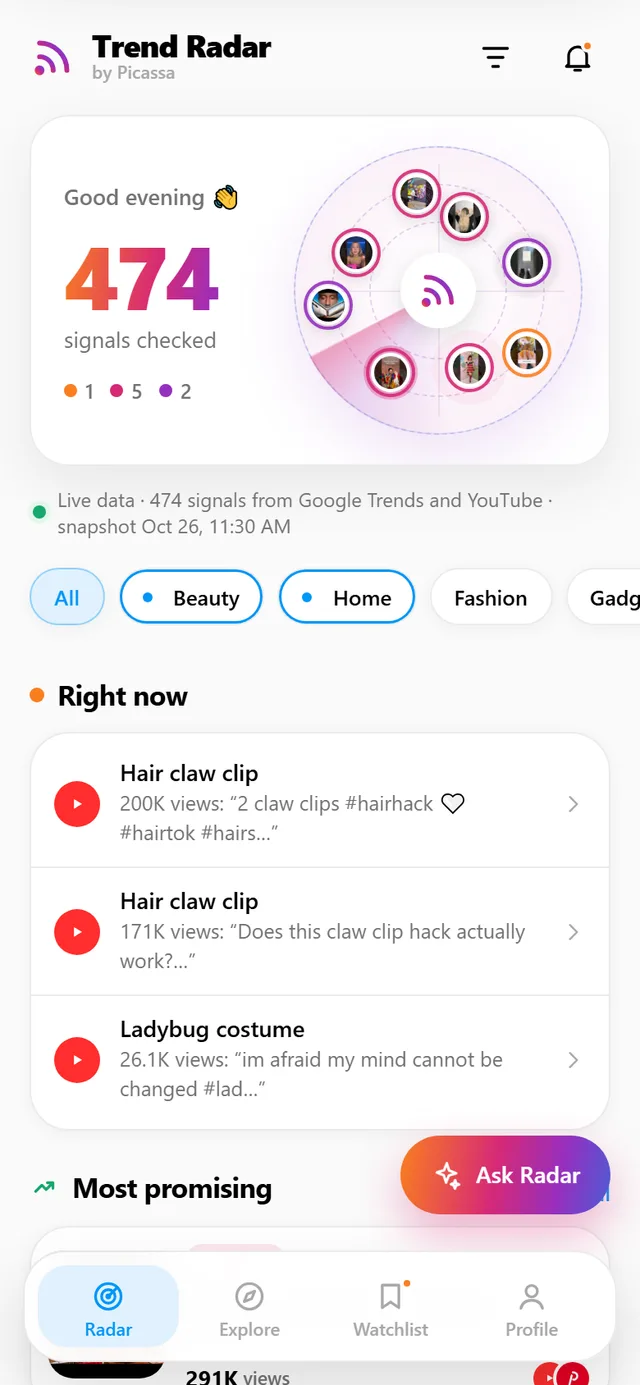
Trend research is usually split up: search queries in one tool, hashtags in another, creators in a third, products in a fourth. Trend Radar merges them into one feed and answers the question that matters: is this trend worth your time?
Videos, search queries, pins and hashtags add up to one trend instead of scattered charts.
AI drops boosted videos, template farms, brand-new channels and off-market content. What remains is real growth.
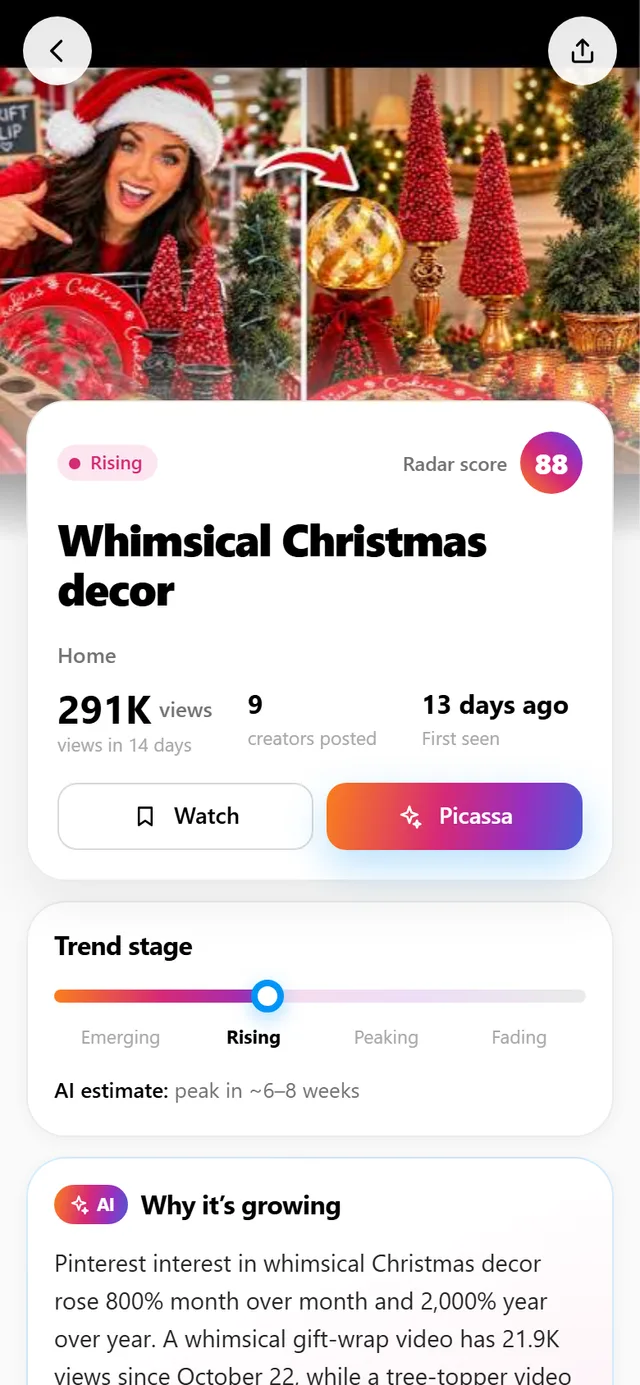
Every trend has a stage (emerging, rising, peak, fading), reach, creator count, audience and a plain-language explanation.
Hashtags come from the top videos and copy in one tap. Each trend also comes with three ideas you can film today.
Paste a channel link or describe your product. The radar picks trends that fit and shows a match score.
Add a trend to your watchlist and the radar will show you when it moves to the next stage.
| Task | Usually | With Trend Radar |
|---|---|---|
| Find a rising topic | Google Trends plus scrolling feeds | A ready trend feed every morning |
| Filter out fake views | By hand, by eye | An AI filter with 10+ checks |
| Pick hashtags | A separate hashtag generator | Top-video hashtags, copied in one tap |
| Check if a trend fits you | Guesswork | Profile analysis with a match score |
| Make a product card | A designer or another tool | Send the trend to Picassa |
Pick your niches in the profile. Their trends go first on the home screen, and if the morning snapshot has few topics for a niche, the radar finds its own. Can’t find your niche? Describe it in words or paste a profile link.
The niche list is growing; niche search arrives in the next update.
Each trend is confirmed across several platforms. When a topic grows in videos, in search and on Pinterest at once, it is not a random spike.
Shorts and videos: views, growth speed, number of creators
ConnectedRising search queries by country
ConnectedHashtags: posts per hour and top posts
ConnectedWeekly and monthly search growth
ConnectedProduct demand and competition
Coming soonThe radar isn’t only for finding products. It shows creators the formats and challenges gaining views right now. Repeat the format with your own character, use the leaders’ hashtags and post while the trend is still hot.
The radar scans everything rising in a niche and finds topics no one is covering yet.
Coming soon: a separate feed of videos going viral for the big creators in your niche, so you can repeat the format with your own character.
From the October 26, 2026 snapshot
The two-clip trick got almost 200K views since October 18, and a test of another hack got 171K. Several creators are filming claw-clip hairstyles.
Nutria is a photo-based food tracking app. We used it to test how trends turn into views.
The radar got a description of Nutria and matched trends to it: “walking vs running” scored 96%, “healthy Halloween snacks” 89%. Topics that don’t fit were filtered out: a corset costume scored 8%.
The team took a fitness creator’s viral morning-routine video, recreated it shot for shot with the Nutria character and used the same hashtags.
The latest video got 1,600 Instagram views on a young account with no ad budget. That experience led to the “Top creators” mode.
Tick your niches, paste a channel link or describe your product.
Every morning the server checks hundreds of videos, queries and hashtags, while AI removes junk and merges duplicates.
Copy the hashtags, film from the ready ideas, or send the trend to Picassa to make a product card.
Which products are starting to rise, how many competitors they have, and at what price.
Challenges, formats and hashtags gaining views right now.
Trends close to your product, plus ready-made post copy.
From the platforms’ official APIs: YouTube Data API, Google Trends, Instagram Graph API and Pinterest. Amazon is being connected. API keys are kept on the server only.
The shared snapshot is collected daily at 08:30 UTC. Custom search and profile analysis run live and take 20–60 seconds.
Google Trends shows search queries only. Trend Radar combines queries with videos, hashtags and pins, filters out fake views and tells you what to do with the trend.
Yes, there is a test version for Android. The web app is the same app in your browser, with the same data.
Access is invite-only for now: send a request with the “Sign up” button, get a login and password from the team and sign in with “Log in”. After you log in, queries from the mobile app show up in the web account too.
Open the radar and see what is rising in your niche today.
Open the web app